UPlotGraphWidget
Widget for plotting time-based values as scrolling graphs with multiple layers.
FGraphLayer
Represents a single value layer in the graph.
- Name: Layer identifier
- Color: Line color
- Values: Stored sample values over time
- Thickness: Line thickness
UPlotGraphWidget
Widget for plotting time-based values as scrolling graphs with multiple layers.
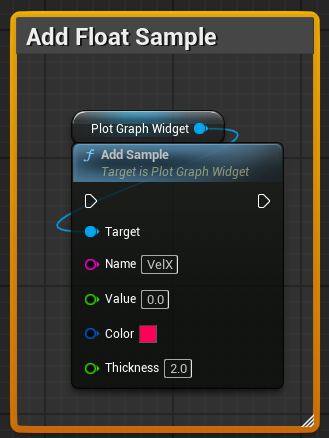
AddSample
Adds a float value to a named layer. Creates the layer if it doesn’t exist.
- Name: Layer name
- Value: Value to add
- Color: Line color
- Thickness: Line thickness
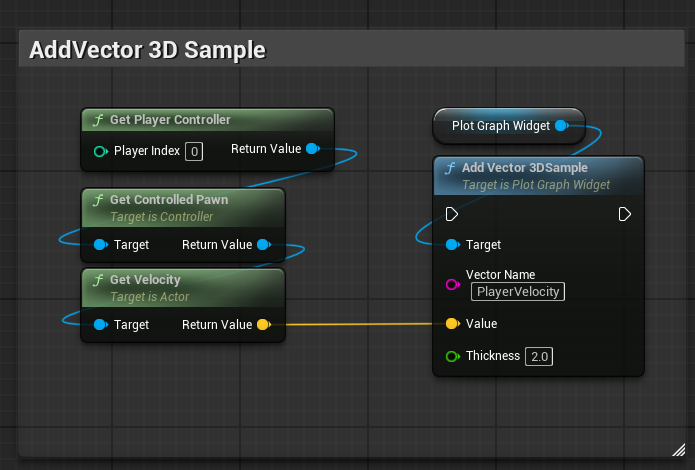
AddVector3DSample
Adds a 3D vector sample, splitting it into X, Y, Z layers.
- VectorName: Base name for layers
- Value: Vector value
- Thickness: Line thickness
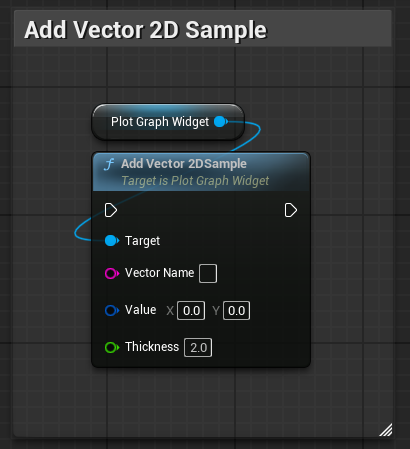
AddVector2DSample
Adds a 2D vector sample, splitting it into X and Y layers.
- VectorName: Base name for layers
- Value: Vector value
- Thickness: Line thickness
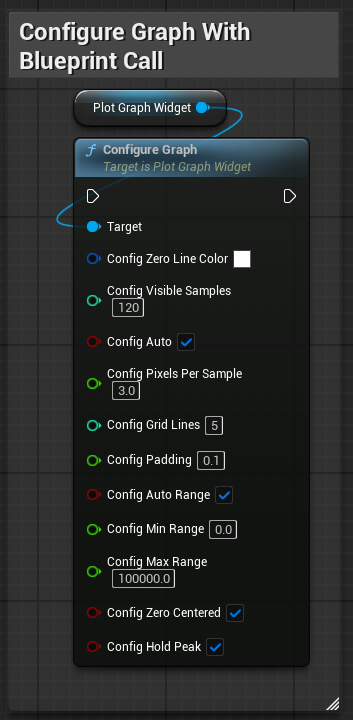
ConfigureGraph
Applies a graph configuration.
Graph Settings
- ZeroLineColor: Color of the zero reference line
- VisibleSamples: Number of samples visible at once
- bAutoVisibleSamples: Automatically adjusts visible samples based on size
- PixelsPerSample: Horizontal spacing between samples
- GridLines: Number of horizontal grid divisions
- TopPadding: Extra space above values
- bAutoRange: Automatically adjusts value range
- MinRange / MaxRange: Fixed range when auto range is disabled
- bZeroCentered: Keeps zero centered vertically
- bHoldPeak: Holds peak values temporarily instead of instant change
- You can also configure it directly on widget with exposed uproperties
ResetRange
Resets stored peak values used for range calculation.