AutoPlotGraph
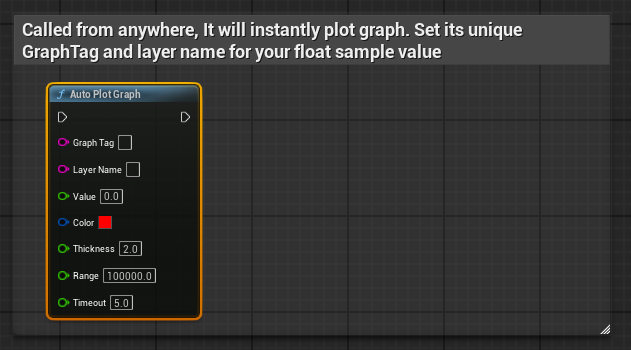
Adds a float value to a graph layer. Creates the graph automatically if it doesn’t exist. Supports a timeout - if no new values are added, the graph disappears after the specified time.
- GraphTag: Unique identifier for the graph
- LayerName: Name of the value layer inside the graph
- Value: Value to plot
- Color: Line color for this layer
- Thickness: Line thickness
- Range: Visible value range / history scale
- Timeout: Time before graph disappears without updates
AutoPlotGraph_Vector3D
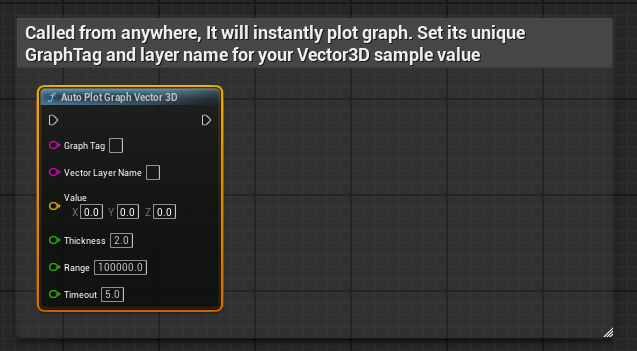
Adds a 3D vector to a graph, plotting each component as a separate layer. Automatically hides after timeout if no new samples are received.
- GraphTag: Unique identifier for the graph
- VectorLayerName: Base name for vector layers (X, Y, Z)
- Value: Vector value to plot
- Thickness: Line thickness
- Range: Visible value range / history scale
- Timeout: Time before graph disappears without updates
AutoPlotGraph_Vector2D
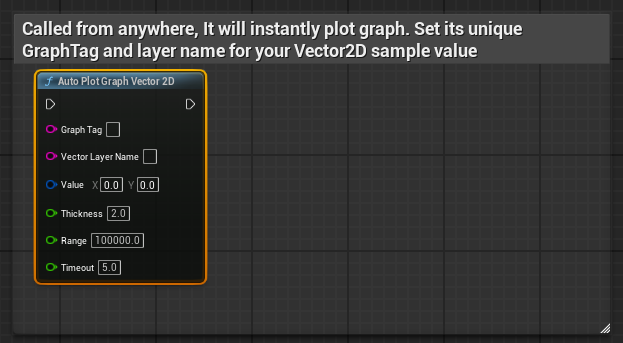
Adds a 2D vector to a graph, plotting X and Y as separate layers. Automatically hides after timeout if no new samples are received.
- GraphTag: Unique identifier for the graph
- VectorLayerName: Base name for vector layers (X, Y)
- Value: Vector value to plot
- Thickness: Line thickness
- Range: Visible value range / history scale
- Timeout: Time before graph disappears without updates
GetAutoPlotGraph
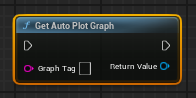
Returns the graph widget for a given tag if it exists.
- GraphTag: Identifier of the graph
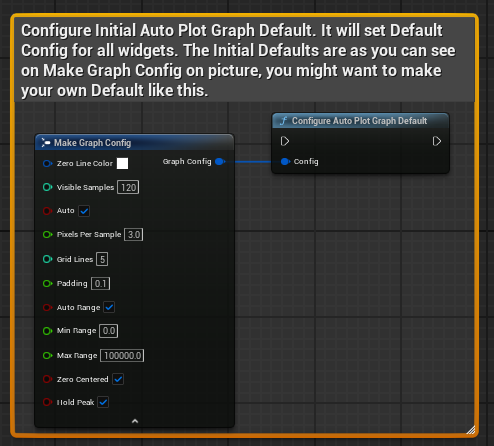
ConfigureAutoPlotGraphDefault
Sets the default configuration used for all graphs.
- Config: Default graph settings (FGraphConfig)
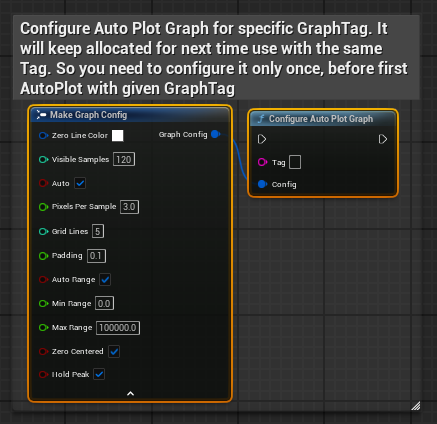
ConfigureAutoPlotGraph - can be configured before plotting, so config stays cached
Applies a custom configuration to a specific graph.
- Tag: Graph identifier
- Config: Graph settings override (FGraphConfig)
ConfigureAutoPlotGraphLayout
Overrides position and size of a specific graph widget.
- Tag: Graph identifier
- bUseCustomPosition: Enable custom position
- Position: Screen position
- bUseCustomSize: Enable custom size
- Size: Widget size
FGraphConfig structure
Controls visual behavior, scaling, and layout of a graph.
- ZeroLineColor: Color of the zero reference line
- VisibleSamples: Number of samples visible at once
- bAuto: Enables automatic graph behavior (scrolling / scaling)
- PixelsPerSample: Horizontal spacing between samples
- GridLines: Number of horizontal grid divisions
- Padding: Extra vertical space added above and below values
Range Settings
- bAutoRange: Automatically adjusts min/max range based on values
- MinRange: Minimum value when auto range is disabled
- MaxRange: Maximum value when auto range is disabled
- bZeroCentered: Keeps zero centered in the graph
- bHoldPeak: Keeps peak values visible for a short time instead of instantly dropping